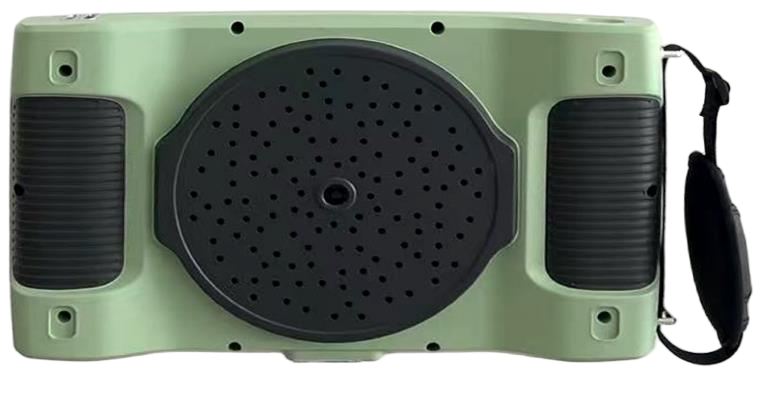
T1000
Acoustic Imager
Locate suspected discharge, leaks and abnormal sound.Explore T1000The Qidoo instruments
Two different tasks. Two purpose-built instruments.
Choose by what you need to measure.
Acoustic Imager
Locate suspected discharge, leaks and abnormal sound.Explore T1000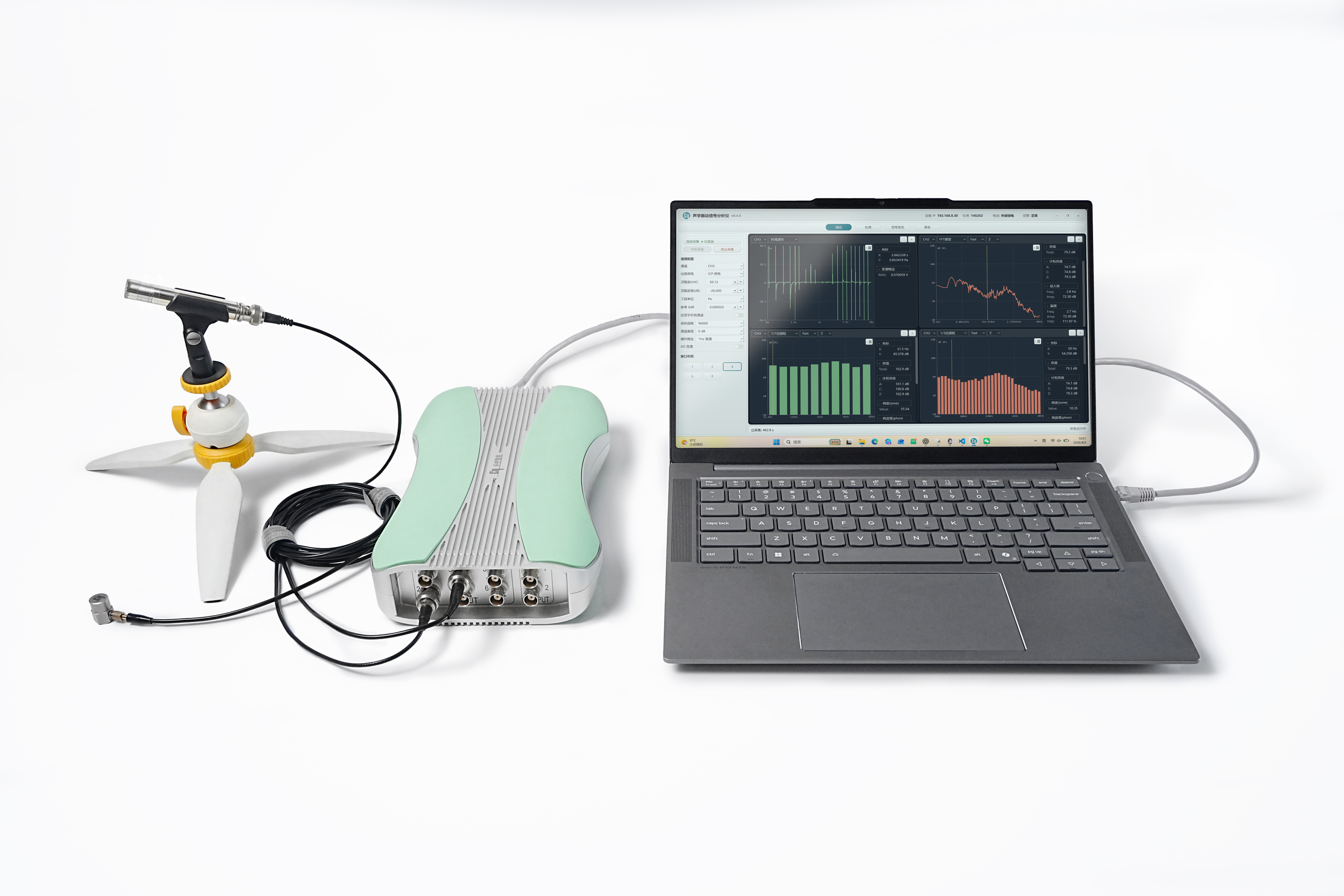
Multi-Channel Signal Analyzer
Acquire, analyze and excite acoustic and vibration signals.Explore T2000Example equipment configurations. Accessories and host computer are specified separately.
Handheld acoustic imaging
Find the sound source before deciding what to inspect. An acoustic overlay connects the measurement to the physical scene.
Actual instrument photographs. Colored overlays show acoustic imaging output.
A MEMS microphone array captures the sound field. Localization is displayed over the camera image, helping an operator relate a suspected source to equipment, pipework or electrical assets.
*128-channel reference configuration. A 32-channel option is also listed; confirm the supplied array.
Discuss T1000Reference information for configuration review, not an approved delivery specification. Frequency and sound-level ranges differ between source versions.
Multi-channel acquisition and excitation
Connect sensors, record multiple channels and examine the response. Use dual outputs when your test needs a defined excitation signal.
ICP or voltage inputs connect your sensors to a multi-channel measurement system. Pair acquisition with defined excitation and review the response in the host software.
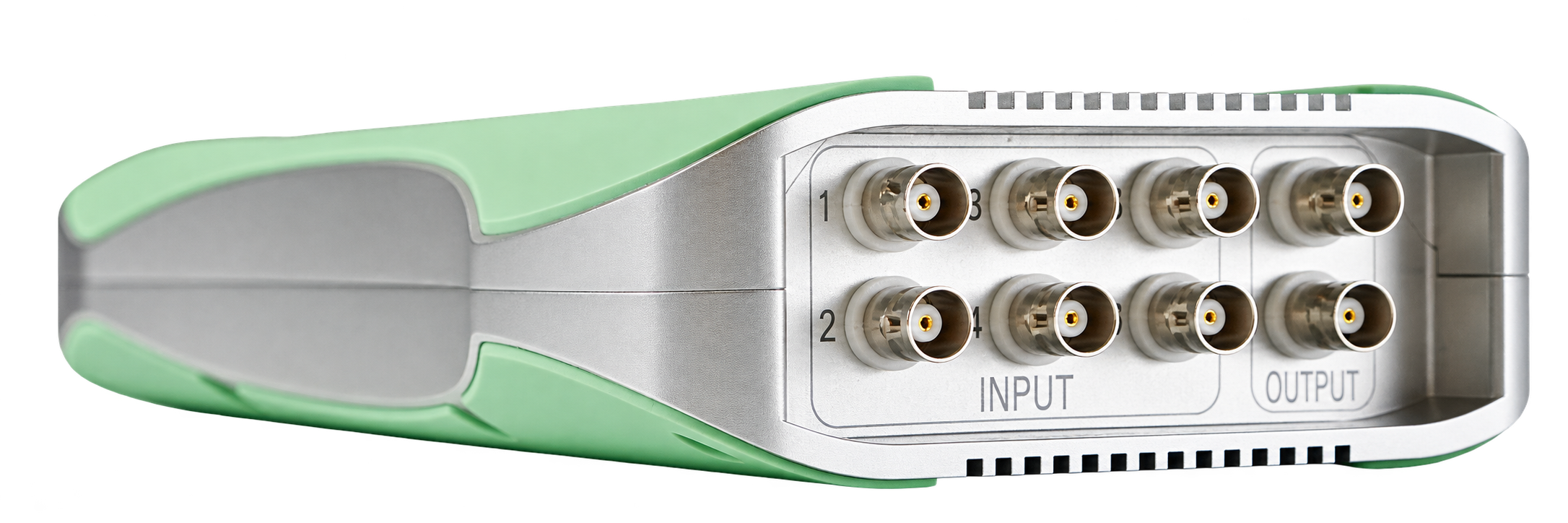
Instrument view · Six inputs. Two outputs.
ICP or voltage inputs support acoustic and vibration measurements. Select sensors by sensitivity, bandwidth and required input conditions.
Use sine, white noise, pink noise, burst or sweep signals in a defined excitation-and-response arrangement.
A Windows host handles channel setup, range selection, recording and analysis through the instrument’s network connection.
*Source documents differ on A/D depth, input bandwidth, dynamic range, network speed and weight. Sampling rate is not usable signal bandwidth. Obtain a configuration-specific specification before purchase.
Choose by the measurement task
Acoustic imaging and signal analysis answer different questions.
They complement one another; they are not interchangeable.
| Your requirement | T1000Acoustic Imager | T2000Signal Analyzer |
|---|---|---|
| Main question | Where is the suspected sound source? | What is in the measured signal? |
| Measurement method | Microphone array + camera overlay | Sensor inputs + multi-channel acquisition |
| Typical work | Discharge, leak and abnormal sound localization | Noise, vibration, response and laboratory tests |
| Primary result | Localized acoustic image and inspection record | Waveforms, spectra and recorded test data |
| External sensors | Integrated array for imaging | Compatible microphones or vibration sensors |
| Signal excitation | Not the instrument’s primary function | Two configurable output channels |
| Project configuration | Array, software functions and deployment accessories | Sensors, ranges, output modes and software modules |
Continuous monitoring, hazardous-area suitability and additional analysis modules require their own project specification.
T2000 measurement software
Configure channels, watch the waveform and move into frequency analysis. Keep the settings and results together for the next test.
View time-domain signals and frequency content alongside channel settings. The reference interface includes waveform, FFT and octave analysis views.
Actual reference software interfaces. Language, version, licence and available modules are defined in the agreed configuration. Click the image to enlarge.
The complete measurement chain
Sensors, connections and software determine what your setup can measure.
Agree them together before placing an order.
Specify the signal type, frequency band, sensitivity and measurement range. Confirm ICP supply and voltage-input compatibility for each sensor.
Agree cable lengths, BNC connections, mounting and power requirements. Confirm whether transport protection or battery operation is needed.
List the required analysis modules, interface language, data export and integration needs. Structural analysis and online monitoring are separately configured.
T1000 uses its integrated microphone array. T2000 sensor and accessory choices depend on the specific measurement task.
Technical resources
Use the reference guide for an initial discussion. For procurement, request the confirmed specification for your quoted instrument and software.
No. T1000 localizes acoustic sources with an array and camera. T2000 acquires signals from connected sensors and supports quantitative signal analysis and excitation.
No. Sampling rate and usable input bandwidth are different specifications. Confirm the effective bandwidth, anti-alias filtering and quoted hardware revision.
The photographs show example systems. The quotation defines each included instrument, sensor, cable, accessory and software licence.
Do not assume suitability. Identify the area classification and required certification, then verify the exact model and documentation before use.
A clearer measurement brief
Share your equipment, signal type, frequency range and operating conditions.
We’ll help define the instrument and configuration.